
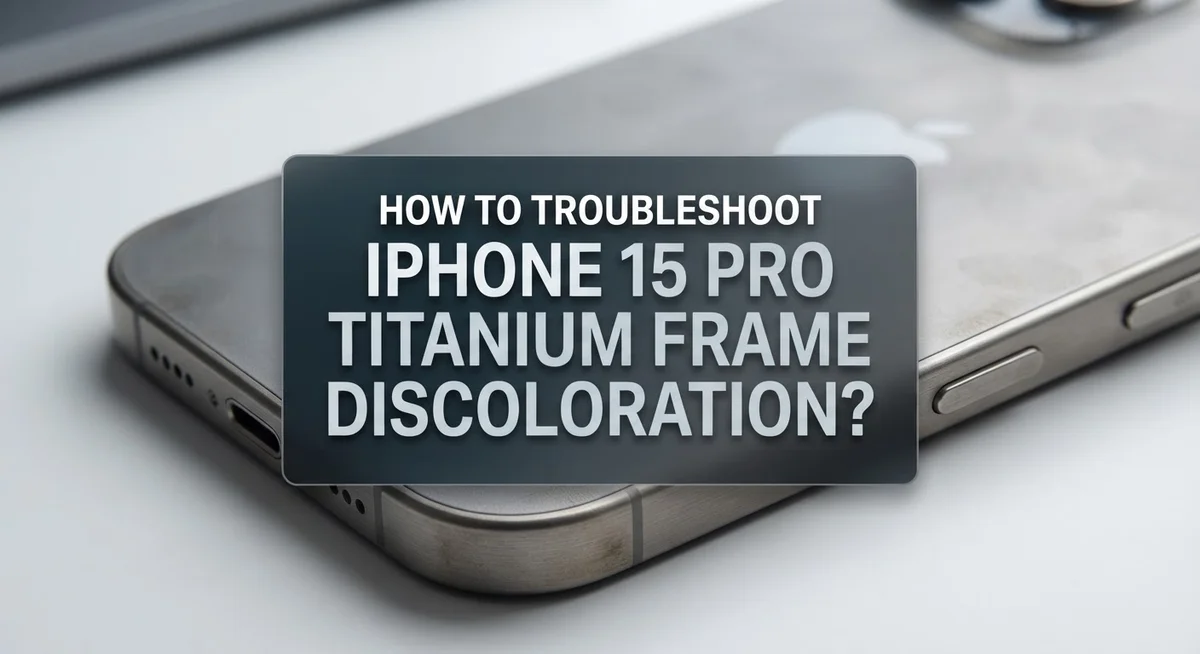
How To Troubleshoot iPhone 15 Pro Titanium Frame Discoloration?
You just picked up your iPhone 15 Pro and noticed the titanium frame looks discolored. Don’t panic. This is one of the most common concerns among iPhone 15 Pro users, and the good news is it is completely harmless.
The titanium frame on the iPhone 15 Pro is stunning, but it reacts visibly to fingerprints and skin oils. This can make the frame look darker, patchy, or uneven in certain spots. It is not a manufacturing defect.
The even better news? It is fully reversible. A simple, gentle wipe is often all it takes to restore the frame to its original appearance.
In this guide, you will learn exactly why this happens, how to fix it safely, and how to prevent it from coming back. You will also learn what not to do, since the wrong cleaning approach can cause real scratches on your frame.
In a Nutshell
- Titanium frame discoloration on the iPhone 15 Pro is caused by fingerprints and natural skin oils settling on the surface.
- This is not a defect. It is completely normal titanium behavior confirmed by Apple.
- The fix is simple: wipe the frame with a soft, lint-free cloth that is slightly damp.
- Avoid harsh cloths, abrasive materials, and excessive moisture. These can scratch or damage the frame instead of cleaning it.
- The discoloration is fully reversible and does not harm your phone in any way. It is a cosmetic issue only.
- Regular, gentle wiping after everyday use helps prevent oil buildup and keeps the frame looking its best.
What Is iPhone 15 Pro Titanium Frame Discoloration?
The titanium frame on your iPhone 15 Pro can develop a dull or cloudy appearance over time. This happens because titanium is highly reactive to natural skin oils and fingerprints. When you hold your phone, oils from your fingers transfer onto the metal surface and create a visible film.
This discoloration appears as streaks, smudges, or a general hazy coating across the frame. The effect is most noticeable on the shiny titanium surfaces, especially around the edges and sides where you grip the phone most often. The color shift ranges from subtle to quite obvious depending on how much oil buildup has accumulated.
The key thing to understand is that this is completely normal. Apple designed the iPhone 15 Pro with titanium specifically because it is durable and strong. However, titanium naturally shows fingerprints and oils more visibly than other materials. This is not a manufacturing defect or a sign that something is wrong with your device.
The discoloration is entirely cosmetic. It does not affect how your phone works, its performance, durability, or any of its features. Your iPhone 15 Pro functions perfectly even with a discolored frame.
The best part? The discoloration is fully reversible. You can restore the original appearance in seconds with the right cleaning method. Most people find that a quick, gentle wipe with a soft cloth removes the buildup instantly.
Understanding what causes this issue helps you feel confident about your phone. You now know it is a normal part of owning a titanium device. In the next sections, you will learn exactly how to clean it properly and prevent excessive buildup from returning.
Why Does the Titanium Frame Change Color?
Titanium is a reactive metal. It naturally responds to contact with human skin, sweat, and oils. When you hold your iPhone 15 Pro, these substances settle on the frame surface.
The discoloration you see is actually a thin layer of oxidation mixed with fingerprint oils. This creates a dull or cloudy appearance. The effect happens faster on titanium than on other metals because titanium is highly reactive to environmental exposure.
Fingerprints are the main culprit. Each time you grip your phone, you leave invisible oils on the frame. These oils don’t evaporate quickly. Instead, they accumulate and interact with the titanium surface, causing visible discoloration within hours or days.
Humidity and temperature also play a role. Warmer, more humid environments speed up the oxidation process. If you live in a coastal area or use your phone in humid conditions, you may notice discoloration faster than others.
This is completely normal behavior. Apple chose titanium specifically for the iPhone 15 Pro because of its strength and lightweight properties. The company fully expects users to see this cosmetic change. It’s not a manufacturing defect or a sign that something is wrong with your device.
The good news is that discoloration doesn’t indicate any structural damage. Your phone functions perfectly. The frame remains strong and protective. The issue is purely visual.
Understanding this natural process helps you feel confident about your phone. You’re not dealing with a broken or defective product. You’re experiencing exactly what Apple engineers anticipated when they selected titanium for this model. This knowledge makes the fix feel less urgent and more routine.
How To Tell If Your Frame Is Discolored or Damaged
Identifying whether your iPhone 15 Pro frame is discolored or actually damaged requires a simple visual inspection. Start by looking at the titanium surface under good lighting. Discoloration appears as streaks, smudges, or a hazy coating across the frame. The affected areas look dull or cloudy compared to the rest of the phone.
Real discoloration wipes away easily with a soft cloth. If the marks disappear after gentle wiping, you’re dealing with fingerprints and oils. This is completely normal and not a defect.
Actual damage looks different. You’ll see deep scratches, dents, or gouges that don’t wipe away. Damaged areas feel rough to the touch or show visible metal loss. These physical marks won’t disappear with cleaning.
Run your finger gently across the frame to feel for texture changes. Discoloration feels smooth. Damage creates an uneven surface you can feel immediately.
Check the frame under different angles and lighting. Discoloration appears uniform across affected areas. Damage typically shows sharp lines or obvious depressions.
Another key difference: discoloration affects large sections of the frame evenly. Damage appears in specific spots where impact or friction occurred.
If you’re still unsure, try the cleaning test. Wipe the frame with a slightly damp, lint-free cloth for 10 seconds. Discoloration vanishes instantly. If marks remain after gentle wiping, you likely have actual damage requiring Apple support.
Remember, discoloration is cosmetic only and causes no harm to your phone. Damage may affect structural integrity or functionality, so contact Apple if you suspect real harm to your device.
Step-by-Step Guide To Restore Your Titanium Frame’s Original Color
The restoration process is straightforward and takes just minutes. You need three basic items: a soft cloth, distilled water, and patience. Start by gathering your materials before you begin.
First, power off your iPhone 15 Pro completely. This step prevents accidental touches to the screen while you clean. Wait a few seconds after shutting down before proceeding.
Next, dampen your lint-free cloth with distilled water. The cloth should feel slightly moist, not wet or dripping. Excess water can damage internal components, so squeeze out any extra liquid before cleaning.
Gently wipe the titanium frame using circular motions. Apply light pressure and work systematically around the entire perimeter. Pay special attention to areas where you grip the phone most often, as these spots accumulate more oils.
For stubborn discoloration, make multiple passes over the same area. Let the moisture sit for a few seconds to help break down buildup. Never scrub harshly or use force, as this can scratch the surface.
After cleaning, use a dry section of your cloth to remove any remaining moisture. Buff the frame gently until it shines. The original color should reappear immediately.
Allow your phone to air dry for five minutes before powering it back on. This prevents any water from entering ports or speakers.
Regular maintenance prevents heavy buildup. Wipe your frame weekly using the same method. This habit keeps your titanium looking fresh and reduces the need for intensive cleaning sessions.
The entire process takes under ten minutes. Most people see results within the first few wipes. Your iPhone 15 Pro frame will return to its original appearance quickly and safely.
What Cleaning Materials Are Safe To Use on Titanium
The materials you use matter significantly when cleaning your iPhone 15 Pro titanium frame. Using the wrong products can cause permanent scratching or damage instead of fixing discoloration.
Soft, lint-free cloths are your best choice. These cloths won’t leave fibers behind on your frame. Microfiber cloths work exceptionally well because they’re gentle and absorb moisture effectively. Avoid paper towels, tissues, or rough fabrics at all costs.
Water is your safest cleaning liquid. Distilled water is ideal because it contains no minerals that could leave marks on the titanium surface. Tap water sometimes leaves residue, so distilled water is worth using. Never use hot water, as extreme temperatures can affect the frame’s finish.
Skip harsh chemicals completely. Alcohol, bleach, vinegar, and abrasive cleaners will damage the titanium coating. These substances strip away the protective layer and cause discoloration to worsen. Soap is unnecessary and can leave a film on your frame.
Your cloth should be slightly damp, not soaking wet. Excess moisture can seep into crevices and cause internal damage. Wring out your cloth thoroughly before touching your phone.
Avoid scouring pads, brushes, or anything with texture. These tools scratch titanium easily and create more problems than they solve. Even “soft” brushes can be too abrasive for this delicate surface.
Keep your cleaning routine simple. A lint-free cloth and distilled water are genuinely all you need. This combination safely removes discoloration without risking damage. Regular gentle wiping prevents heavy buildup from forming in the first place.
Common Mistakes To Avoid When Cleaning the Titanium Frame
Cleaning your iPhone 15 Pro titanium frame requires care. Many people accidentally damage their frames by using the wrong methods. Understanding what to avoid protects your phone’s appearance.
Never use paper towels or regular tissues. These materials leave lint and fibers all over your frame. Lint sticks to the titanium surface and creates a messy appearance. You need lint-free cloths specifically. Microfiber cloths work well for this purpose.
Avoid harsh chemicals completely. Bleach, alcohol, and strong cleaners strip the titanium finish. These substances can cause permanent damage beyond simple discoloration. Stick to distilled water only. Tap water contains minerals that leave spots on titanium.
Don’t scrub aggressively or use circular motions with pressure. This scratches the frame and causes real damage instead of fixing discoloration. Use gentle, light touches instead. Your goal is wiping, not scrubbing.
Never soak your cloth in water. Excessive moisture seeps into your phone’s frame joints and ports. This creates internal problems. Your cloth should feel barely damp to the touch. Squeeze out extra water before cleaning.
Skip scouring pads, brushes, and textured materials entirely. These tools scratch titanium and remove its protective coating. Even “soft” brushes cause damage over time.
Don’t clean your frame when your phone is powered on. Turn off your iPhone 15 Pro first. This prevents accidental touches or water exposure near sensitive components.
Avoid cleaning too frequently. Regular gentle wiping maintains your frame, but obsessive cleaning isn’t necessary. Once or twice weekly is sufficient for most users.
These simple mistakes prevent expensive damage. Gentle care keeps your titanium frame looking pristine for years.
How To Prevent Titanium Frame Discoloration Going Forward
Preventing titanium frame discoloration requires simple daily habits. The key is reducing oil and fingerprint buildup before it becomes visible on your phone’s surface.
Handle your iPhone 15 Pro mindfully throughout the day. Wash your hands before using your phone when possible. This removes natural oils that transfer to the titanium frame. If your hands are sweaty or oily, wipe them dry first. These small actions stop discoloration before it starts.
Keep your phone away from excessive moisture and humidity. Store it in a dry environment when not in use. Avoid placing it on surfaces where dust or debris can settle on the frame.
Wipe your frame gently once or twice weekly. Use a soft, lint-free cloth with barely damp distilled water. This removes oils before they build up and cause noticeable discoloration. Regular light cleaning is easier than dealing with heavy buildup later.
Avoid touching the titanium frame unnecessarily. When you must hold your phone, grip the edges or use a protective case. Cases reduce direct contact between your skin and the frame material.
Don’t expose your iPhone 15 Pro to extreme temperatures or direct sunlight for long periods. Environmental stress can affect how the titanium appears over time.
Store your phone in a protective pouch or case when traveling. This shields the frame from dust, dirt, and environmental contaminants.
Consistency matters more than intensity. Quick weekly wipes prevent discoloration far better than aggressive monthly scrubbing. Your goal is gentle, regular maintenance rather than reactive cleaning.
These prevention strategies keep your titanium frame looking fresh and reduce how often you need to perform deeper cleaning. Simple daily care saves you time and keeps your phone looking new.
When To Contact Apple Support
Most iPhone 15 Pro titanium frame discoloration clears up with simple home cleaning. However, some situations warrant professional support from Apple.
Contact Apple Support if discoloration persists after gentle cleaning with a soft, lint-free cloth and distilled water. Sometimes stubborn marks indicate an underlying issue beyond normal fingerprint buildup. Apple technicians can assess whether your frame has actual damage or defects.
Reach out to Apple if you notice visible scratches, dents, or pitting in the titanium. These physical damages differ from discoloration caused by oils and fingerprints. Professional evaluation ensures your phone receives appropriate care.
Visit Apple Support if your frame shows uneven color patterns or patches that don’t respond to cleaning. Unusual discoloration might signal oxidation or material degradation requiring warranty assessment. Apple can determine if your device qualifies for service or replacement.
Contact Apple if cleaning accidentally caused damage to your frame. Aggressive scrubbing or wrong materials sometimes leave marks that need professional repair. Be honest about what happened so technicians understand the situation fully.
Reach out if discoloration appears on brand new devices straight from the box. Frame defects occasionally occur during manufacturing. Apple handles these cases quickly through warranty coverage.
Document everything before contacting support. Take clear photos showing the discoloration from multiple angles. Note when the issue started and what cleaning methods you’ve already tried. This information helps Apple technicians respond faster.
Visit Apple’s official website or use the Apple Support app to schedule service. You can also visit an Apple Store directly for in person evaluation. Phone support is available if you prefer speaking with someone first.
Most discoloration issues resolve at home. Apple Support exists for genuine defects and situations beyond basic cleaning solutions.
Final Thoughts
Titanium frame discoloration on the iPhone 15 Pro is not something to stress about. It is a natural cosmetic reaction caused by fingerprints and skin oils on the titanium surface. It does not affect your phone’s performance or lifespan in any way.
The good news is that this issue is completely reversible. A soft, lint-free cloth with a slight amount of moisture is all you need. Wiping the frame gently restores the original titanium color almost immediately.
Consistency matters more than intensity when caring for your titanium frame. Regular, gentle wiping prevents oil buildup before it becomes noticeable. You do not need special tools or complicated routines to keep your frame looking great.
Always use gentle motions and minimal moisture. Avoid harsh materials, abrasive methods, and excessive water at all times. These simple rules protect your frame from real, permanent damage.
If discoloration persists after proper cleaning, reach out to Apple Support directly. Unusual patterns or buildup that won’t respond to gentle cleaning may need professional attention. Apple’s support team can assess whether a deeper issue exists.
Most users find that one simple wipe solves the problem entirely. The titanium material is durable and designed to handle everyday use well. Minor cosmetic changes are just part of owning a device with this material.
Think of your iPhone 15 Pro’s titanium frame as low-maintenance, not no-maintenance. Small, regular care habits keep it looking clean and polished. You now have everything you need to handle discoloration confidently and correctly every single time.
Frequently Asked Questions
Why does my iPhone 15 Pro titanium frame look discolored?
Your titanium frame picks up fingerprints and oils from your hands. These substances sit on the metal surface and change how light reflects off it. This makes the frame appear darker or duller than it actually is. The discoloration is completely normal and not a defect.
Is titanium frame discoloration permanent?
No, it is not permanent at all. The discoloration wipes away easily with a soft cloth. You can restore the original appearance in seconds. This issue is fully reversible with basic cleaning.
What is the best way to clean my titanium frame?
Use a soft, lint-free cloth that is slightly damp. Dampen it with distilled water only. Gently wipe the entire frame in circular motions. Do not soak the cloth or apply excessive moisture. Let the frame air dry completely afterward. Repeat this process once or twice weekly to prevent buildup.
What cleaning methods should I avoid?
Never use harsh cloths, paper towels, or abrasive materials. Skip rough scrubbing motions that can scratch the titanium. Avoid soaking the frame or using excessive water near ports and buttons. Do not apply cleaning chemicals, alcohol, or solvents to the frame. These methods damage the metal and create new problems.
When should I contact Apple Support about frame discoloration?
Reach out to Apple if discoloration persists after gentle cleaning with a lint-free cloth and distilled water. Contact them if you notice visible scratches, dents, or uneven color patches. Also reach out if the discoloration appears on a brand new device straight from the box.

Hi, I’m Lily — a tech enthusiast and the voice behind SmartResizerr.com. I love testing gadgets, breaking down specs into plain English, and helping everyday people find the right tech without the overwhelm.