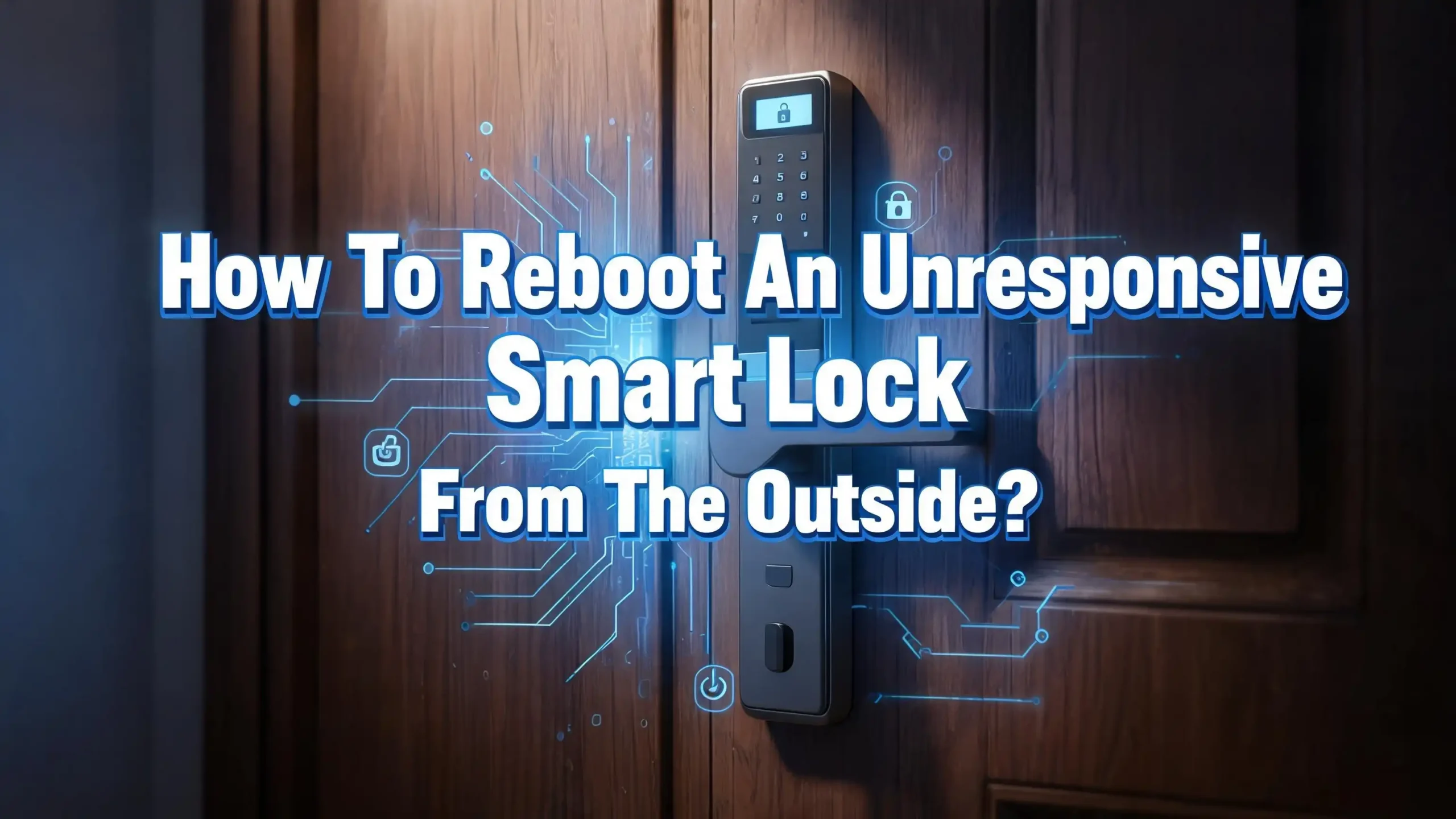
How to Reboot an Unresponsive Smart Lock from the Outside?
Smart locks combine delicate electronics with heavy mechanical parts. A dead battery, a frozen mechanism, a lost Bluetooth signal, or a software crash can all cause the same result. A lock that simply ignores you.
The good news is that manufacturers build emergency access methods into almost every model. These backup systems sit right on the outside of your door, waiting for you to use them.
This guide walks you through every method you can try, starting with the fastest and safest options. Just practical steps that get you back inside.
Key Takeaways
- The physical backup key is your fastest fix. Almost every smart lock hides a traditional keyhole behind a removable cover. Find yours, use the backup key, and you are inside in under 30 seconds.
- A dead battery is the most common culprit. Even if the keypad lights up briefly, weak batteries often cannot deliver enough power to turn the deadbolt. A 9V battery or a USB power bank pressed against the emergency terminals on the outside of the lock can bring it back to life.
- Cold weather causes two separate types of failure. A physical freeze jams the bolt with ice. A digital freeze drains battery voltage and makes touchpads unresponsive. Each requires a different fix, so diagnose the problem before you act.
- Never force a stuck bolt with extreme heat or brute strength. Hairdryers on low settings are safe. Heat guns, lighters, and torches will warp the plastic chassis and destroy internal wiring. Gentle methods always come first.
- Most “unresponsive” locks are not actually broken. A door frame that shifted with humidity, a firmware update that disconnected the app, or a Privacy Mode setting you activated by accident can all mimic a dead lock. Run through the simple checks before you assume the worst.
- Prevention is easy and takes ten minutes. Switch to lithium batteries in October, lubricate the bolt with dry PTFE spray, and store a backup key somewhere accessible. These small habits stop lockouts before they happen.
Understand Why Your Smart Lock Became Unresponsive
Before you try any fix, take a moment to observe what your lock is doing. The symptoms tell you what kind of problem you have.
A completely dead lock means the keypad does not light up, the app shows “offline,” and you hear no sounds at all. This almost always points to a dead battery. Smart locks need strong and steady voltage to run the motor that moves the deadbolt. When batteries drop below a certain threshold, the lock shuts down to protect its internal memory.
A lock that hums or clicks but does not open points to a mechanical issue. The motor is getting power, but something blocks the bolt. The strike plate may be out of alignment. Ice may have formed inside the bolt channel. The door itself may have shifted slightly with weather changes.
A lock that responds to the keypad but not the app is a connectivity problem. Your phone lost its Bluetooth or Wi-Fi handshake with the lock. The bridge or hub inside your home may have rebooted. A recent phone update may have logged you out of the app.
Take 15 seconds to diagnose before you act. The right diagnosis saves you from wasting time on the wrong fix.
Pros of this approach: You avoid unnecessary steps and potential damage. You solve the real problem faster.
Cons: In very cold or rainy weather, standing outside to diagnose is uncomfortable. But those 15 seconds are still worth it.
Locate and Use Your Hidden Physical Key Override
This is the method you should try first. Almost every smart lock on the market includes a traditional keyhole, hidden behind a small cover on the front of the lock.
Where to look. On most models, the keyhole sits at the bottom of the exterior lock body. Look for a small removable cap, a sliding panel, or a circular faceplate that swivels open. Brands like Yale hide the keyhole behind the bottom section of the touchscreen. Kwikset often places it under a small rubber flap. Schlage models usually have a visible keyway right on the front. If you cannot find yours immediately, run your fingers around the bottom edge of the lock. You will feel a seam or a notch.
How to use it. Once you expose the keyhole, insert your backup key and turn it gently. Do not force it. If the key turns smoothly but the bolt does not retract, the issue is mechanical, not electronic. You may need to push or pull the door slightly while turning the key to relieve pressure on the bolt.
Where is your backup key? Many people lose track of theirs. Check the original box the lock came in. Look in your kitchen junk drawer. If you never received one, contact the manufacturer. They can often send a replacement if you provide your lock’s serial number.
Pros: Fastest method. Zero risk of damage. Works even in total power failure.
Cons: Only works if you have the backup key accessible. The keyhole itself can also freeze in extreme cold.
Use a 9V Battery for Emergency External Power
This trick has saved thousands of people from calling a locksmith. Most digital and smart locks have two small metal contact points on the front of the lock body. These terminals let you supply emergency power from the outside.
How to find the terminals. Look at the bottom edge or the lower front face of your lock. You will see two small metal dots or rectangular contacts, often labeled with a battery icon. Some models hide them under a rubber cover. If you are not sure, pull up your lock’s manual online from your phone.
How to use a 9V battery. Take a standard 9V battery and press its two terminals firmly against the two contact points on the lock. Polarity matters, but most locks are designed so you cannot damage them if you reverse it. Hold the battery in place for five to ten seconds. The keypad should light up. Enter your access code while still holding the battery. The lock should power the motor and open.
Keep a 9V battery handy. This is the single best emergency tool you can store outside your home. Place one in your car’s glove box. Keep one in your bag. Give one to a trusted neighbor. These batteries cost a few dollars and last for years in storage.
Pros: Works on most major brands. Batteries are cheap and widely available. No technical skill needed.
Cons: Holding the battery steady while typing a code can be awkward. Some newer models use USB-C ports instead of 9V terminals.
Use a USB Power Bank for Emergency Charging
Newer smart locks are moving away from 9V terminals and toward USB emergency ports. If your lock was manufactured after 2022, check for a small micro USB or USB-C port on the bottom or side of the exterior unit.
How to find the emergency USB port. Run your finger along the bottom edge of the lock. Many manufacturers hide this port behind a small silicone plug that keeps out dust and moisture. It may look like a tiny rubber flap. Lift it gently, and you will see the port.
What you need. Carry a small power bank and a short USB cable in your bag or car. Even a compact 5000 mAh power bank provides more than enough power for a single unlock. Plug the cable into the lock’s emergency port, connect it to the power bank, and wait for the keypad to light up. Enter your code. The lock draws temporary power from the bank and opens.
Why this matters. If your lock has no 9V terminals and no visible keyhole, the USB port may be your only external access method besides a physical key. Check your lock’s manual to confirm whether this feature exists on your model.
Pros: Works with devices many people already carry. Provides a stable power supply for typing codes.
Cons: Not all locks have this port. You must carry the right cable type. The port cover can be hard to open in the cold.
Warm a Frozen Smart Lock Safely
If you live in a cold climate and your lock stopped working on a freezing day, ice may be the cause. Smart locks freeze in two ways. A physical freeze blocks the bolt with ice inside the mechanism. A digital freeze drains the battery and makes touchpads unresponsive.
For a physical freeze. Try the backup key first. Warm the key by holding it in your closed fist for 30 seconds or by breathing on it. Insert it slowly and work it in and out while applying gentle turning pressure. The warmth from the key transfers into the lock cylinder and can melt thin ice. If that fails, use a commercial lock de-icer spray. Spray a short burst into the keyway or around the bolt. Wait 60 seconds and try again. De-icer is safe for electronics and plastic components. If you have no de-icer, use 70 percent or higher isopropyl alcohol. Apply a few drops to the key and insert it.
For a digital freeze. The real problem is usually the battery. Cold temperatures reduce alkaline battery output by up to 50 percent. The keypad may flicker, or the motor may hum weakly. Swap in fresh lithium batteries if you can access the battery compartment from outside. Some models allow this. If not, use the 9V or USB emergency method described above.
Safe warming with a hairdryer. If all else fails, use a hairdryer on the lowest heat setting. Hold it six to eight inches from the lock body. Keep it moving. Never hold it in one spot. Stop after 60 to 90 seconds and test the lock again. Never use a heat gun, lighter, or torch. High heat warps the plastic chassis, melts wiring, and destroys the lock permanently.
Pros: De-icer and isopropyl alcohol are safe for electronics. The warm key method costs nothing.
Cons: Hairdryers require a power outlet nearby. Heat guns and open flames can cause irreversible damage.
Push or Pull the Door While Operating the Lock
Sometimes the smart lock is not the problem at all. The door itself is the issue.
Why this happens. Doors shift with temperature and humidity changes. Wood expands when it absorbs moisture and contracts when it dries out. Over time, this movement pulls the strike plate slightly out of alignment with the deadbolt. The lock motor tries to retract the bolt, but the bolt is jammed against the edge of the strike plate. The motor hums, clicks, and gives up.
How to test this. While entering your code or turning the backup key, push the door firmly inward or pull it outward. Apply steady pressure in both directions. If the door has shifted, this small adjustment relieves the friction on the bolt. The lock motor can then complete its cycle and retract the bolt fully.
What to do after you get in. Once you are inside, inspect the strike plate. Look for scrape marks on the metal edge. If you see them, the alignment is off. Loosen the screws on the strike plate, shift it slightly so the bolt enters smoothly, and tighten everything back down. This five minute fix prevents the same lockout from happening again.
Pros: Costs nothing. Takes ten seconds to try. Often fixes the issue immediately.
Cons: Does not work if the bolt is jammed for other reasons, like ice or a broken gear.
Toggle Your Phone’s Bluetooth and Wi-Fi
If your lock works fine from the keypad but refuses to respond to your phone, the problem sits in your pocket, not in your door.
The Bluetooth disconnect. Smart locks communicate with your phone through Bluetooth Low Energy. Sometimes this connection drops silently. Your phone thinks it is paired, but the lock does not receive the signal. Turn Bluetooth off on your phone, wait ten seconds, and turn it back on. Open the lock’s app and try again. This simple toggle re-establishes the handshake in most cases.
The Wi-Fi bridge issue. If your lock connects through a Wi-Fi bridge or hub inside your home, check that the bridge has power and a working internet connection. Unplug the bridge, wait 30 seconds, and plug it back in. Give it two minutes to reconnect. Then try the app again. Many “unresponsive lock” complaints trace back to a bridge that lost power after a brief outage.
Restart your phone. It sounds too simple, but restarting your phone clears temporary cache files and resets background processes that may interfere with the lock’s app. Try this before you assume the lock itself has failed.
Pros: Quick, easy, and non-invasive. Solves a large percentage of connectivity problems.
Cons: Only fixes app-related issues. Does nothing for a dead battery or a jammed bolt.
Check for Accidental Privacy Mode Activation
Many smart locks have a Privacy Mode or Vacation Mode setting that disables the external keypad. This feature stops anyone from entering a code from outside. It is useful when you are home and want extra security. It is frustrating when you activate it by accident and lock yourself out.
How to check. Open your lock’s app and look for a privacy or vacation mode toggle. If it is switched on, turn it off. Some models also allow you to disable Privacy Mode by pressing a specific button combination on the interior side of the lock. You cannot do this from outside, but a family member inside the house can do it for you.
What if you live alone. If you activated Privacy Mode and no one is inside to switch it off, your backup physical key becomes your only option. This is why keeping that key accessible matters so much. Privacy Mode overrides the keypad, but it cannot override a metal key turning in the lock cylinder.
Pros: Easy to check. Reversing it takes seconds if you have app access.
Cons: Cannot be turned off from the outside without the app. May go unnoticed as the cause of the lockout.
Replace the Batteries from the Outside (When Possible)
A handful of smart lock models let you access the battery compartment from the outside. If yours is one of them, this is a straightforward fix.
How to tell. Look at the exterior face of your lock. Do you see a removable cover held by a small screw or a clip? Some models, especially those designed for rental properties, place the battery compartment on the front of the lock for easy swapping. If you find a cover, open it. Remove the old batteries. Wait ten seconds to discharge any residual power in the lock’s capacitors. Insert fresh batteries and close the compartment. The lock should power up and respond to your code.
What if the compartment is inside? Most smart locks keep batteries on the interior side for security reasons. You cannot access them from outside. In this case, rely on the 9V emergency terminal or the USB power bank method described earlier. Once you get inside, replace the batteries immediately.
What batteries to use. Lithium AA or AAA batteries outperform alkaline in every way for smart locks. They last longer. They hold steady voltage. They perform reliably in cold weather. Alkaline batteries are cheaper but drain faster and struggle in low temperatures.
Pros: Direct fix. New batteries solve the problem at its source.
Cons: Most locks do not allow external battery access. This limits the method to a small subset of models.
Perform a Factory Reset Only as a Last Resort
A factory reset wipes all codes, fingerprints, and app pairings from the lock. It returns the device to its original out of the box state. Do this only when nothing else works and you have exhausted every other option.
Can you reset from outside? On most smart locks, you cannot. The reset button sits inside the battery compartment on the interior side of the door. This is a deliberate security design. If someone could factory reset your lock from the outside, they could also erase your codes and gain access.
The workaround. If you are locked out and certain a factory reset will help, you need to get inside first using one of the earlier methods. The backup key is your first choice. The 9V or USB emergency power method is your second. Once inside, open the battery compartment, press and hold the reset button for ten to fifteen seconds, and follow the manufacturer’s instructions to set up the lock from scratch.
A warning. A factory reset deletes everything. You will need to reprogram all access codes, re-pair the lock with your phone, and recalibrate the door handing process. This takes time. Only do it if the lock is genuinely malfunctioning and simpler steps have failed.
Pros: Solves persistent software glitches. Gives you a clean start.
Cons: Cannot be done from outside on most models. Deletes all codes and settings. Time-consuming to set up again.
What to Do When Nothing Works
You have tried the backup key. You have tried the 9V battery. You have tried warming the lock and pushing the door. Nothing has worked. Now what?
Call a licensed locksmith. Choose a locksmith who advertises smart lock experience. Many general locksmiths know traditional locks but lack training on digital systems. A qualified professional can disassemble the lock body without damaging your door, clear deep mechanical jams, and assess whether internal components like the motor or gear set need replacement.
Call the manufacturer’s support line. Most major smart lock brands offer phone support during business hours. They can walk you through model-specific troubleshooting steps you may not find online. Have your lock’s model number and serial number ready. You can usually find the serial number printed on a sticker inside the battery compartment.
Call your landlord or building manager. If you rent, your lease may require the landlord to handle lock issues. Many property managers keep spare keys or have maintenance staff on call. Do not attempt to drill out or break the lock yourself unless you have explicit permission. You may be held liable for the damage.
Pros of professional help: Safe. Fast. Prevents costly damage to your door and lock.
Cons: Costs money. May involve waiting hours for an available appointment.
Prevent Future Smart Lock Lockouts
Once you are back inside, take an hour to set up systems that stop this from happening again. Prevention costs almost nothing and saves you from standing in the cold with a dead lock.
Store a backup key outside your home. Use a lockbox with a combination code, leave a key with a trusted neighbor, or keep one in your desk at work. Never hide a key under a doormat or a fake rock. Those spots are the first places intruders check.
Switch to lithium batteries every October. Lithium cells maintain performance down to minus 40 degrees Fahrenheit. They last three to five times longer than alkaline batteries in smart locks. Set a yearly calendar reminder. This one habit eliminates the majority of dead battery lockouts.
Keep a 9V battery in your car or bag. Even if your lock has a USB emergency port, a 9V battery works as a universal backup for most models. It weighs almost nothing and costs very little. You will be glad you have it.
Lubricate the bolt with dry PTFE spray. Do this in October before cold weather arrives, and again in January if you live somewhere with long winters. Avoid WD-40 and oil-based lubricants. They attract dust and thicken in the cold. Dry PTFE spray repels moisture and stays fluid at low temperatures.
Check your lock’s app once a month. Open the app to confirm the lock is connected, the battery level is healthy, and firmware updates are not pending. A two minute monthly check catches problems before they strand you outside.
Pros: Simple, cheap, and effective. Dramatically reduces the chance of future lockouts.
Cons: Requires a small amount of planning and discipline. The ten minute yearly maintenance session is easy to forget if you do not set a reminder.
Know Your Lock’s Emergency Features Before You Need Them
Most people do not read the manual that comes with their smart lock. That is normal. But knowing your lock’s emergency features before an emergency hits makes a huge difference.
Take five minutes today. Pull up your lock’s manual online. Find the section on emergency access methods. Make note of where the hidden keyhole sits. Check whether your model has 9V terminals, a USB port, or both. Learn how to use each method. Practice once while you are inside the house, so the motion feels familiar when you are locked out.
Save important information in your phone. Add your lock’s model number and the manufacturer’s support phone number to a notes app. If the lock fails, you can search your notes instead of climbing through the manufacturer’s website on a small screen while standing outside.
Teach a family member. Make sure at least one other person in your household knows how to use the backup key and the emergency power method. You may not be the one who gets locked out.
Pros: Takes a few minutes. Builds confidence. Eliminates panic during real emergencies.
Cons: None. This is pure upside with zero cost.
Understand When to Replace Your Smart Lock
Sometimes a smart lock becomes unresponsive because it has reached the end of its useful life. Repeated failures signal that replacement is the smarter choice.
Signs you need a new lock. The motor grinds or clicks constantly even with fresh batteries. The lock disconnects from the app every few days. The keypad registers only some of your touches. You have replaced the batteries three times in six months. These are not isolated glitches. They are signs of worn out internal components.
What to look for in a replacement. Choose a lock with a wide operating temperature range if you live in a cold area. Look for IP65 or higher weatherproofing. Confirm the lock has a physical key override and at least one emergency power method. Check that the brand has a responsive customer support team. Read reviews that specifically mention long term reliability, not just the initial setup experience.
Pros of replacing early: You avoid being stranded by a lock that fails at the worst possible moment. Newer models offer better battery life and faster response times.
Cons: Replacement costs money. Installation takes time. You need to reprogram all your access codes.
FAQs
Can I reboot a smart lock from outside without any tools?
Yes. The backup physical key is your best option if you have it with you. If you do not have the key, try pushing or pulling the door while operating the lock. A misaligned strike plate often causes jams that feel like electronic failures. Also try toggling your phone’s Bluetooth and Wi-Fi if the app is the only thing not working.
What if my smart lock has no keyhole at all?
A small number of smart locks are truly keyless with no mechanical override. In those cases, look for 9V battery terminals on the bottom of the lock or a micro USB/USB-C emergency port. If your lock has none of these features, contact the manufacturer. A keyless lock with no emergency access method is a design flaw, and the manufacturer should provide a solution.
How do I find the 9V terminals on my smart lock?
Check the bottom edge and the lower front face of the exterior lock body. Look for two small metal dots or rectangular contacts. They are sometimes labeled with a small battery symbol. If you cannot find them, search for your lock model number followed by “9V emergency power” on your phone. The manufacturer’s manual will show exactly where the contacts sit.
Does a factory reset fix an unresponsive smart lock?
A factory reset can fix software glitches that make the lock unresponsive. However, on most smart locks, the reset button sits inside the battery compartment on the interior side of the door. You cannot perform a factory reset from outside. You must regain entry first using the backup key, emergency power, or a locksmith.
Is it safe to use a hairdryer on a frozen smart lock?
Yes, but only on the lowest heat setting. Hold the hairdryer six to eight inches from the lock. Keep it moving constantly. Stop after 60 to 90 seconds and test the lock. Never use a high heat setting, a heat gun, or an open flame. Extreme heat warps the plastic housing and melts internal components beyond repair.
Why does my smart lock work with the keypad but not the app?
This is a connectivity issue, not a lock failure. Turn your phone’s Bluetooth off and back on. If your lock uses a Wi-Fi bridge or hub, unplug it for 30 seconds and plug it back in. Restart your phone. These steps re-establish the wireless connection that the app needs to communicate with the lock.

Hi, I’m Lily — a tech enthusiast and the voice behind SmartResizerr.com. I love testing gadgets, breaking down specs into plain English, and helping everyday people find the right tech without the overwhelm.