How To Clean Apple Vision Pro Lenses Without Scratching?
Your Apple Vision Pro is a stunning piece of technology, and the lenses sit at the heart of every magical experience it delivers. But here is the thing. The cover glass and display lenses scratch easily. That is a painful lesson on a four thousand dollar device.
The good news is that cleaning these lenses safely is simple once you know the rules. You just need the right cloth, the right technique, and a little patience.
This guide walks you through every safe method, the products Apple actually approves, the mistakes that ruin lenses, and the small habits that keep your Vision Pro looking brand new for years. Let us get into it.
Key Takeaways
- Always use a clean, dry microfiber cloth, ideally the Apple Polishing Cloth that came inside the box. Paper towels, tissues, and shirts can scratch the glass.
- Never use isopropyl alcohol, Windex, ammonia, or household solvents on the lenses. These chemicals can strip coatings and damage the optical surface permanently.
- ZEISS cleaning spray is the only liquid Apple officially approves. Spray it onto the cloth, never directly onto the lenses.
- Turn off the Vision Pro and unplug the battery before cleaning. Place it on a flat, stable surface inside its cover for safety.
- Store your polishing cloth in a clean bag. Pockets, backpacks, and tabletops collect tiny grit particles that scratch glass on contact.
- Blow loose dust off first before any wiping motion. Wiping over a dust speck is the most common cause of scratches.
Why Apple Vision Pro Lenses Scratch So Easily
The cover glass on the Vision Pro is a curved, laminated optical surface. It looks tough, but reports from owners and tear down videos confirm it is surprisingly delicate. Even the front laminated glass shows scratches under bright light after light handling. The internal display lenses behind the curtain are even more sensitive because they sit close to your eyes.
The reason is simple. Apple coated the glass with anti reflective layers and oleophobic coatings. These thin films repel oil and reduce glare, but they also wear down faster than bare glass. A single dry wipe with a dirty cloth can leave fine swirl marks.
Common causes of scratches include sand or dust trapped on a cloth, paper products like tissues or napkins, abrasive cleaners, fingernails brushing the surface, and storage in pockets next to keys or coins. Even placing the headset face down on a table can create circular scuffs over time.
Understanding this fragility is the first step. You stop thinking of the Vision Pro like a phone screen and start treating it like a camera lens or a pair of premium prescription glasses. That mental shift alone prevents most damage.
Tools You Need Before You Start Cleaning
Gathering the right supplies makes the job stress free. You do not need fancy gear, just clean, soft, and chemical free items. Here is what works best.
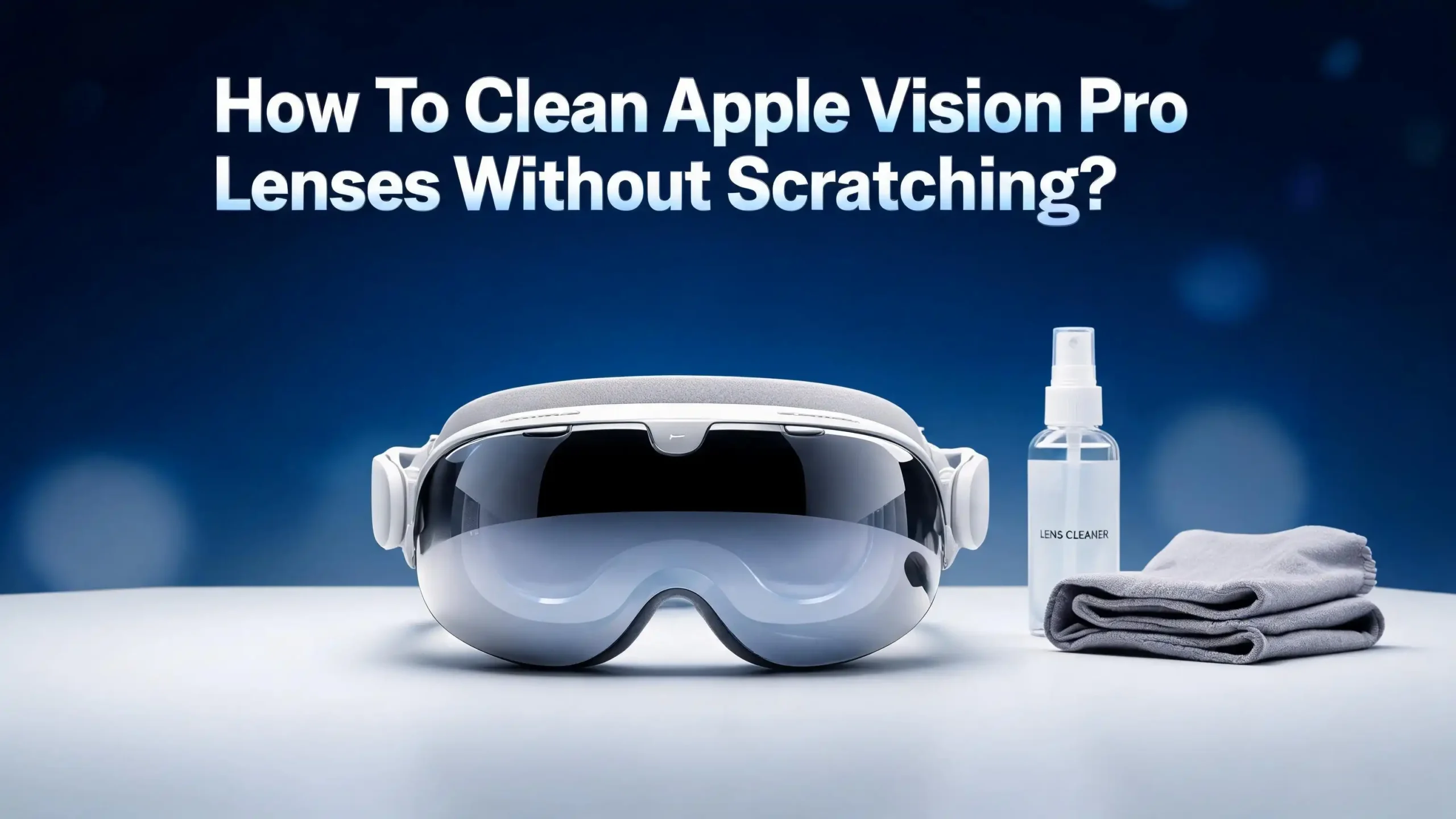
The Apple Polishing Cloth is the gold standard. It ships with the Vision Pro and is designed for the exact coatings on the lenses. It is soft, lint free, and washable. Keep it stored in a clean ziplock bag when not in use.
A ZEISS lens cleaning spray is the only approved liquid. It is alcohol free, ammonia free, and safe on coated optics. You can find it at most pharmacies and optical stores.
An air blower bulb, the kind used by camera owners, is incredibly useful. It removes dust without contact. Avoid canned air because the propellant can leave residue or freeze the surface.
A soft bristle lens brush or a clean lens pen helps lift stubborn particles before any wiping. You may also want a second microfiber cloth kept in reserve for emergencies. Stick to fresh, unused cloths from optical stores rather than kitchen microfiber, which often contains fabric softener residue.
Avoid eyeglass wipes that contain alcohol, baby wipes, makeup remover pads, paper towels, and tissues. These all seem gentle but they either scratch the coating or strip it chemically.
Preparing Your Vision Pro For Cleaning
Preparation prevents accidents. Rushing into a wipe with the device powered on or charging is risky. Take a minute to set up properly.
Start by shutting down the Vision Pro completely. Press and hold the top button until the power slider appears, then slide to power off. Disconnect the battery cable from the audio strap. If the battery is plugged into a wall, unplug it as well.
Next, find a clean, flat, well lit surface. A wooden desk or kitchen counter with good overhead lighting works perfectly. Bright light helps you spot smudges, fingerprints, and tiny dust particles you would otherwise miss.
Place the Vision Pro inside its travel cover with only the lens area exposed, or rest it gently on a soft towel. This prevents the back of the device from getting scratched while you focus on the front. Wash and dry your hands thoroughly. Skin oils and lotions transfer onto the cloth and smear the lenses faster than anything else.
Finally, inspect the polishing cloth. If it has been sitting in a drawer with other items, give it a gentle shake or a quick rinse and air dry before using. A dirty cloth is the number one cause of scratched lenses.
Step By Step Method To Clean The External Cover Glass
The front cover glass is the curved piece you see from the outside, including the EyeSight display. Cleaning it correctly takes about two minutes.
Step one, use the air blower bulb to gently blow loose dust off the entire glass surface. Hold the headset upright and blow at an angle so debris falls away rather than spreading.
Step two, lightly brush the surface with a soft bristle lens brush if any particles remain. Do not press. Just let the bristle tips kiss the surface and lift dust away.
Step three, fold the Apple Polishing Cloth into quarters so you have a clean, padded section. Wipe the glass in gentle, straight line motions from one side to the other. Avoid hard circular scrubbing because circular motions concentrate pressure on small areas.
Step four, if smudges remain, lightly mist a corner of the cloth with ZEISS spray. Never spray directly on the device. Wipe again in straight lines, then follow with a dry section of the cloth to remove any moisture streaks.
Pros of this method include using only Apple approved supplies, low risk of damage, and excellent clarity afterward. Cons are that it requires patience, the polishing cloth must be kept spotless, and tough smudges may need two passes.
How To Clean The Internal Display Lenses Safely
The internal lenses are the two optical surfaces you look through when wearing the device. They sit just inside the Light Seal area. These need extra care because they have stronger anti reflective coatings.
First, remove the Light Seal by gently pulling it away from the magnetic connectors. This gives you full access to the inner lenses without bumping them.
Next, hold the headset with the lenses facing down and use the air blower to push out any dust. Eyelashes, makeup particles, and skin flakes love to settle here. Gravity helps them fall out when you point the lenses downward.
Now fold a clean section of the polishing cloth and wipe each lens gently in a single direction. Use almost no pressure. The coating on these lenses scratches at the slightest grit, so let the cloth do the work.
If a stubborn smudge remains, apply a tiny mist of ZEISS spray to the cloth, never to the lens. Wipe once across the lens, then immediately follow with a dry section of cloth. Reattach the Light Seal only after both lenses are completely dry.
Pros include direct access for thorough cleaning and no risk of liquid touching electronics. Cons are the extra step of removing the Light Seal and the higher sensitivity of these inner lenses, which means you must be especially careful.
Cleaning ZEISS Optical Inserts Without Damage
If you wear glasses, you likely use ZEISS Optical Inserts, the prescription lenses that magnetically clip onto the Vision Pro. These need their own cleaning routine because they sit between your eyes and the display lenses.
Detach the inserts by twisting them gently counterclockwise until the magnets release. Hold them by the edges to avoid fingerprints on the optical surface.
Use the same approach as eyeglass cleaning. Rinse them under lukewarm tap water to wash off loose dust, then apply a drop of ZEISS lens cleaning solution or unscented dish soap. Rub gently with your fingertips for about ten seconds.
Rinse thoroughly under cool water and shake off the excess. Dry them with a fresh microfiber cloth using straight line motions. Never use paper towels or tissues on these lenses. ZEISS provides an instruction sheet with each pair, and following it keeps the prescription coating intact.
Pros of water cleaning include removing oils that dry wiping leaves behind and getting a streak free finish. Cons are that you must dry them completely before reattaching, and improper soap can leave residue. Stick to fragrance free, dye free dish soap for the best results.
Mistakes That Cause Permanent Scratches
Knowing what not to do is just as important as the correct method. Here are the most damaging habits Vision Pro owners report.
Using a t shirt or sleeve is the top offender. Cotton fibers seem soft, but they trap dust and have woven edges that act like sandpaper at the microscopic level.
Using paper products like tissues, napkins, toilet paper, or paper towels is also harmful. Apple specifically warns against this. Paper has wood fibers that scratch coated optics.
Spraying liquid directly onto the lens allows fluid to seep around edges into the housing. Always spray on the cloth instead.
Wiping in tight circles with pressure concentrates force and grinds any trapped grit deeper into the surface. Straight line wipes with light pressure are safer.
Reusing a dirty cloth is sneaky because the cloth feels soft. But a single grain of sand or hardened skin oil turns it into a scratching tool. Wash the polishing cloth regularly.
Cleaning without removing dust first drags particles across the surface. Always blow or brush before wiping. Avoiding these six mistakes alone prevents almost every common scratch case.
What To Do If The Lenses Are Already Scratched
If your lenses already have scratches, take a deep breath. Some marks are not as bad as they look, and a few options exist.
First, inspect under bright angled light. Some apparent scratches are actually smudges or debris that a proper cleaning removes. Try the full cleaning method described above before assuming damage.
If the marks remain, do not attempt DIY polishing. Toothpaste, baking soda, plastic polish, or buffing compounds will destroy the optical coating and make the issue dramatically worse. Online videos showing scratch removal tricks do not work on coated optical glass.
Contact Apple Support for an assessment. Vision Pro repairs are handled directly by Apple, and they may replace the affected component under AppleCare Plus. Out of warranty repairs are expensive, but a professional assessment is still safer than self repair.
Pros of going to Apple include guaranteed parts and trained technicians. Cons include cost and turnaround time. As a workaround, many users find that small scratches outside the central viewing area cause minimal visible impact during use. The brain often filters them out within minutes.
Storage Habits That Keep Lenses Pristine
Cleaning is only half the battle. How you store your Vision Pro determines how often you need to clean it and how long the lenses survive.
Always store the device in its travel case or with the Apple cover attached. The cover protects the front glass from dust, drops, and accidental contact. Leaving the headset face down on a table is one of the worst habits.
Keep the polishing cloth in a sealed plastic bag between uses. A simple ziplock works fine. This prevents lint, hair, and grit from contaminating the cloth.
Avoid dusty environments like garages, workshops, or near open windows on windy days. If you must use the Vision Pro in such places, clean immediately after.
Skip makeup and lotions near the headset. Foundation, mascara, and oily skincare transfer to the Light Seal and migrate onto the inner lenses. Wash your face before sessions when possible.
Finally, keep pets and small children away from the device. Curious paws and fingers leave behind smudges, hair, and sometimes scratches. A dedicated shelf or drawer keeps the Vision Pro safe between sessions.
How Often Should You Clean The Lenses
Cleaning frequency depends on how often you use the device and your environment. Over cleaning is just as risky as under cleaning because every wipe carries scratch risk.
For daily users, a quick dust blow and light wipe every two or three days keeps lenses clear. Do a full clean once a week.
For occasional users, cleaning before each session and again if smudges appear is enough. There is no need to wipe lenses that look clean.
Always clean immediately if you see a smudge, fingerprint, or eyelash on the lens. Letting oils sit allows them to bond with the coating and become harder to remove later.
After workouts or sweaty sessions, focus on cleaning the Light Seal Cushion rather than the lenses themselves. Sweat rarely reaches the inner glass, but the cushion absorbs it.
Pros of regular gentle cleaning include consistently clear visuals and longer device life. Cons of over cleaning include unnecessary wear on the coating and increased chance of accidental scratches. Find the balance that suits your usage pattern.
Caring For The Apple Polishing Cloth Itself
The polishing cloth is your most important tool, so it deserves attention too. A neglected cloth becomes a weapon against your lenses.
Wash the cloth regularly in warm water with mild, fragrance free detergent. Apple confirms it is machine washable and machine dryable. Avoid fabric softener because it leaves a film on microfiber that smears glass.
After washing, air dry or tumble dry on low heat. Once dry, fold it neatly and store it in a clean bag or container. Never store it loose in a backpack pocket with keys, pens, or chargers.
If the cloth is dropped on the floor or any dirty surface, do not use it again until it has been thoroughly washed. A single grain of grit picked up from a floor can scratch the lens on the very next wipe.
Pros of caring for the cloth include consistent cleaning performance and reduced scratch risk. Cons are remembering to wash it regularly and keeping spare cloths on hand. Many owners buy two or three cloths so one is always clean and ready.
When To Seek Professional Help
Some situations call for expert hands rather than DIY effort. Knowing when to stop is part of responsible ownership.
If you see deep scratches, cracks, chipped coating, or rainbow patches on the lenses, contact Apple Support. These are signs of damage beyond cleaning.
If liquid has somehow entered the device or splashed onto the inner displays, stop using it and seek help immediately. Moisture inside the optical assembly can cause fogging or permanent display damage.
If the anti reflective coating appears patchy or faded, this often happens from harsh chemicals. The fix is component replacement, not cleaning.
Apple offers in store assessments at any Apple Store with a Genius Bar appointment. AppleCare Plus covers many issues at reduced fees. If you do not have AppleCare Plus, a third party repair through Apple Authorized Service Providers is still safer than independent shops, which usually cannot source genuine Vision Pro parts.
Pros of professional service include genuine parts, trained technicians, and warranty preservation. Cons are cost and the time without your device. Still, attempting risky DIY fixes on a four thousand dollar headset is rarely worth the gamble.
FAQs
Can I use eyeglass cleaner on my Apple Vision Pro lenses?
Most general eyeglass cleaners contain alcohol or ammonia, which Apple specifically warns against. Only ZEISS cleaning spray is officially approved for the cover glass and display lenses. Stick to it for safe, streak free results.
Is it safe to use the Apple Polishing Cloth on both the inside and outside lenses?
Yes, the Apple Polishing Cloth is designed for all glass surfaces on the Vision Pro. Just make sure it is clean before each use. If you drop it or store it loosely, wash it before touching the lenses again.
What should I do if I see a small scratch after cleaning?
First, clean the lens again to make sure it is not just a stubborn smudge. If the mark stays, do not try home polishing methods. Contact Apple Support for an inspection. Small scratches outside the central viewing area often have minimal visible impact during regular use.
Can I use a screen protector on the Vision Pro cover glass?
Some third party screen protectors exist, but they may interfere with the EyeSight display and sensors. Apple does not officially endorse them. Proper cleaning and storage habits offer better long term protection without risking sensor accuracy.
How do I clean fog or condensation off the lenses?
Condensation usually clears on its own as the device warms up. Never wipe foggy lenses because trapped moisture can carry dust into circular scratches. Let the headset acclimate to room temperature for ten to fifteen minutes before any wiping.
Are baby wipes or alcohol wipes safe in an emergency?
No. Baby wipes contain fragrances, oils, and preservatives that smear or damage coatings. Alcohol wipes strip the anti reflective layer permanently. Only use a dry microfiber cloth or ZEISS spray on a microfiber cloth.
Can I rinse the lenses with water?
No. Water can seep into the optical housing and damage internal components. Only the Light Seal, Light Seal Cushion, and head band can be hand washed. The lenses themselves should only meet a microfiber cloth, never running water.

Hi, I’m Lily — a tech enthusiast and the voice behind SmartResizerr.com. I love testing gadgets, breaking down specs into plain English, and helping everyday people find the right tech without the overwhelm.