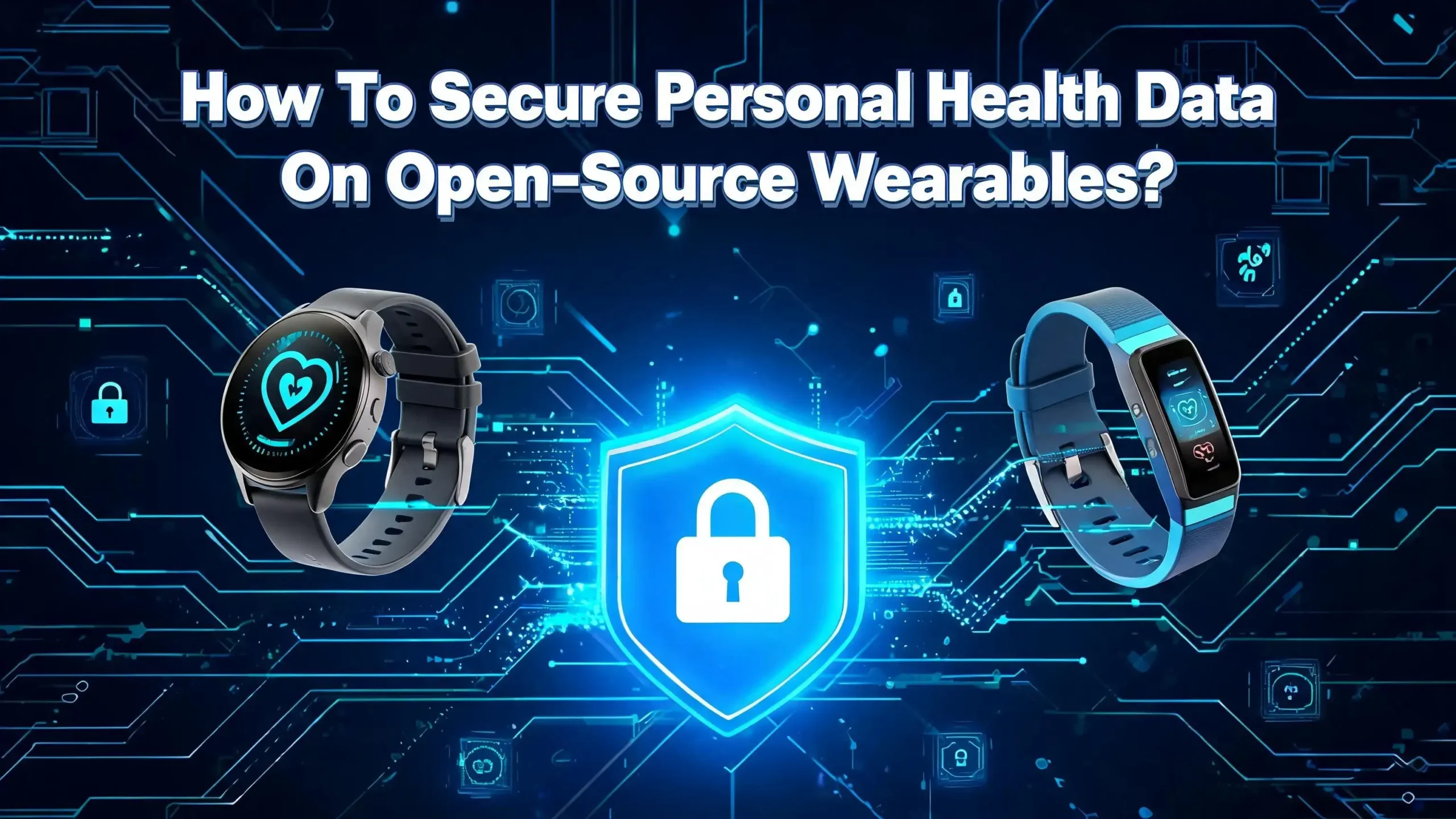
How To Secure Personal Health Data On Open Source Wearables?
Open source wearables are growing fast. Devices like the PineTime smartwatch and apps like Gadgetbridge give you full control over your fitness and health tracking. But that control comes with a serious responsibility: protecting your personal health data.
Your heart rate, sleep patterns, blood oxygen levels, and activity logs are all sensitive information. If that data falls into the wrong hands, it can lead to identity theft, insurance discrimination, or worse.
So how do you lock down your health data on an open source wearable? This guide gives you a clear, practical roadmap. Every section offers actionable steps you can follow today to keep your health information safe and private.
Let’s get started.
Key Takeaways
- Open source wearables offer freedom but require active security management. You do not have a corporate team patching your device automatically. You are the administrator, and that means you need to understand the risks and take clear steps to reduce them.
- Encryption is your first line of defense. Use AES 256 encryption for data stored on your phone or server and TLS 1.3 for any data sent over a network. Without encryption, your health data travels as plain text that anyone with basic tools can read.
- Bluetooth connections are a known weak point. Many wearables use Bluetooth Low Energy (BLE), which has documented vulnerabilities. Keep your firmware updated and disable Bluetooth when you are not syncing data.
- Self hosted data storage keeps you in control. Platforms like Open Wearables and personal health servers let you store all your data on your own hardware. This removes third party cloud providers from the equation entirely.
- Companion apps matter as much as the device itself. Gadgetbridge is a free, open source Android app that replaces proprietary companion apps and keeps your data off corporate servers. Choosing the right app is a critical security decision.
- Regular audits and updates are essential. Open source firmware like InfiniTime receives community updates that patch security issues. Staying current with these updates closes known vulnerabilities before attackers can exploit them.
Why Health Data On Wearables Is a High Value Target
Health data is among the most valuable information on the black market. A stolen medical record can sell for significantly more than a stolen credit card number. This is because health data contains a rich mix of personal identifiers, biometric readings, and behavioral patterns.
Your open source wearable collects data like heart rate variability, sleep duration, step count, blood oxygen saturation, and sometimes even ECG readings. Combined with timestamps and location data, this creates a detailed profile of your daily life. Attackers can use this information for identity fraud, insurance manipulation, or targeted social engineering.
Research published in journals like PLoS One and IEEE Wireless Communications confirms that wearable health data faces threats at every stage. Data can be intercepted during collection, during transmission from the device to a phone, or during upload to a server. Each stage presents a different attack surface.
Open source devices face a unique challenge here. They lack the dedicated security teams that companies like Apple or Samsung employ. The community builds and maintains the firmware, which means security patches depend on volunteer contributors. This is not a weakness of open source itself. It is a reality that requires you to stay informed and proactive.
Understanding why your data is valuable is the first step toward protecting it.
Understanding Open Source Wearable Architecture
Before you can secure your health data, you need to understand how it flows through an open source wearable system. The architecture typically has three main components: the wearable device, a companion app on your smartphone, and a storage backend.
The wearable device contains sensors that collect raw health data. This includes accelerometers for step counting, optical sensors for heart rate, and sometimes SpO2 sensors for blood oxygen. The device runs firmware, which is the software embedded in its hardware. On open source devices like the PineTime, this firmware is InfiniTime or a similar community built project.
The companion app connects to the wearable over Bluetooth Low Energy (BLE). It receives the raw sensor data, processes it, and stores it locally on the phone. Gadgetbridge is the most popular open source companion app for Android. It supports dozens of devices and keeps all data on your phone without sending anything to external servers.
The storage backend is optional but common for users who want long term tracking. This can be a cloud service, a self hosted server, or even a local database on your computer. Platforms like Open Wearables offer self hosted backends that normalize data from multiple wearable providers.
Each connection point in this chain is a potential vulnerability. The Bluetooth link between device and phone, the app’s local storage, and the sync to a backend server all need separate security measures. Thinking about security as a chain helps you identify and fix weak links.
Choose a Secure Open Source Companion App
Your companion app is the gateway between your wearable and the rest of your digital life. Choosing the wrong app can expose all your health data to third parties. This is why selecting a trustworthy open source companion app is one of the most important security decisions you will make.
Gadgetbridge stands out as the leading option. It is a free, open source Android application that pairs with smartwatches, fitness bands, and other wearables. The critical feature is that Gadgetbridge does not require an internet connection to function. Your data stays on your phone and never touches a corporate cloud.
Gadgetbridge also integrates with Android’s Health Connect platform as of recent updates. Health Connect acts as a local health data hub on your phone, connecting data providers and consumers in a privacy preserving way. You control exactly which apps can read your health data through granular permissions.
When choosing a companion app, verify these security features: Does it store data locally? Is the source code publicly auditable? Does it require unnecessary permissions? Does it phone home to external servers? If an app asks for network access it does not need, that is a red flag.
Avoid using proprietary companion apps from device manufacturers, even if they seem more polished. These apps often upload your data to remote servers and share it with third parties according to lengthy privacy policies. Gadgetbridge gives you the same functionality without the privacy cost.
Encrypt Health Data At Rest And In Transit
Encryption is the technical foundation of data security. Without it, your health data is readable by anyone who gains access to your phone, your server, or the wireless signal between your devices. You need two types of encryption: at rest and in transit.
Data at rest means information stored on a device, whether that is your smartphone, a local server, or the wearable itself. Use AES 256 encryption for stored health data. On Android, enable full disk encryption or file based encryption in your device settings. This ensures that if someone steals your phone, they cannot read your health data without your passcode.
Data in transit means information moving between devices. The Bluetooth connection between your wearable and your phone should use the latest BLE pairing protocols with encryption enabled. For data syncing to a backend server, insist on TLS 1.3, which is the current standard for secure internet communication.
Many open source wearables transmit data using simple JSON formats without additional encryption layers. This is a known vulnerability documented in research on healthcare wearable device security. You can mitigate this by ensuring your companion app encrypts data before it leaves the phone.
If you run a self hosted health data server, enable encryption on the database itself. Tools like SQLCipher add transparent encryption to SQLite databases. Every layer of encryption you add makes it exponentially harder for an attacker to access your data.
Keep Firmware And Software Updated
Outdated firmware is one of the easiest attack vectors on any connected device. Open source wearable firmware like InfiniTime receives regular updates from its community of developers. These updates often include security patches that close known vulnerabilities.
Check for firmware updates at least once a month. The PineTime community, for example, publishes releases on GitHub with detailed changelogs. Read these changelogs. They will tell you if a security issue has been fixed and whether the update is critical.
The same applies to your companion app. Gadgetbridge releases updates through F Droid and GitHub. Each update can contain fixes for Bluetooth pairing vulnerabilities, data handling bugs, or permission issues. Staying one version behind might seem harmless, but it can leave a documented exploit open on your device.
Automating updates is ideal, but not always possible with open source tools. Set a recurring reminder to check for new releases. Bookmark the GitHub repository pages for your device firmware and companion app. Join the relevant community forums or mailing lists where security issues are discussed.
One common mistake is assuming that because software is open source, it is automatically secure. Open source means the code is auditable, not that it has been audited. You benefit from open source security only if the community actively reviews the code and you apply their fixes promptly.
Secure Your Bluetooth Connection
Bluetooth is the primary communication channel between your wearable and your phone. It is also a well documented attack surface. Researchers have found multiple vulnerabilities in Bluetooth Low Energy that allow attackers to crash devices, intercept data, or spoof connections.
The FDA has issued warnings about Bluetooth security flaws in medical devices, including a set of vulnerabilities known as SweynTooth. These flaws allowed attackers to remotely crash devices or access data. While consumer fitness wearables are not medical devices in the regulatory sense, they use the same Bluetooth protocols and face the same risks.
Start by keeping Bluetooth turned off when you are not actively syncing data. This reduces your exposure window. Many people leave Bluetooth on 24/7, which creates a continuous opportunity for nearby attackers to scan and probe your devices.
When you do pair your wearable, use the strongest pairing mode available. BLE supports several security levels, and you want Secure Connections with LE Secure Pairing. Check your companion app settings and your device firmware to confirm this is enabled.
Avoid pairing your wearable in public places. The initial pairing process is the most vulnerable moment because keys are being exchanged. Do this at home on a private network. After pairing, your wearable’s MAC address becomes visible to nearby Bluetooth scanners. Some firmware allows MAC address randomization, which you should enable if available.
Set Up Self Hosted Data Storage
Cloud storage is convenient, but it places your health data on servers you do not control. For maximum security, set up a self hosted data storage solution that keeps every byte of your health data on your own hardware.
Several open source projects make this practical. Open Wearables is a self hosted platform that normalizes health and fitness data from multiple wearable providers. It runs on your own infrastructure and gives you full control over access, encryption, retention policies, and audit logging. Another option is Health Server, available on GitHub, which lets you upload and manage exported health data on a personal server.
To set up self hosted storage, you need a small server. This can be a Raspberry Pi, an old laptop, or a virtual private server that you manage. Install your chosen platform, configure HTTPS with a valid SSL certificate, and set strong authentication on all access points.
Back up your data regularly using encrypted backups. Store backups on a separate physical device or an encrypted external drive. Do not rely on a single copy of your data. A good rule is the 3 2 1 backup strategy: three copies, two different media types, one offsite location.
Self hosted storage also gives you the power to delete data permanently. Cloud providers often retain data even after you request deletion. With your own server, you control the database directly and can verify that deletion is complete. Data sovereignty is a real security advantage.
Control App Permissions And Data Access
Every app on your phone requests permissions. Many request more than they need. For health data security, you must audit and restrict app permissions carefully to prevent unauthorized access.
On Android, go to Settings, then Apps, then select your companion app. Review every permission it holds. Gadgetbridge needs Bluetooth access and local storage. It does not need camera, microphone, contacts, or location access. If any app associated with your wearable requests permissions it should not need, deny them immediately.
Health Connect on Android provides a second layer of permission control. It lets you specify which apps can read and write health data categories. You can allow Gadgetbridge to write heart rate data but block a third party app from reading it. Use these granular controls to enforce the principle of least privilege.
Review permissions periodically, not just at installation. App updates can introduce new permission requests. A companion app that was safe six months ago might add analytics tracking or cloud sync features in a new version. Check the changelog before updating and verify that no new permissions have been added without clear justification.
If you use multiple health apps, isolate them. Do not give every app access to every data type. Create a minimal data sharing policy where each app receives only the data it needs to function. This limits the damage if any single app is compromised.
Use Strong Authentication On Every Access Point
Authentication prevents unauthorized users from accessing your health data. This applies to your phone, your companion app, your self hosted server, and any web interfaces you use to view health reports.
Start with your smartphone. Use a strong passcode of at least six digits, or better, an alphanumeric password. Enable biometric authentication as a convenience layer, but do not rely on it as your only protection. Biometrics can be spoofed, and a strong passcode remains your last line of defense.
Enable two factor authentication (2FA) on any accounts connected to your health data. If your self hosted server has a web interface, add 2FA using an authenticator app. Do not use SMS based 2FA, as it is vulnerable to SIM swapping attacks. Hardware security keys are the strongest option if your platform supports them.
Your companion app should also have its own access protection. Gadgetbridge allows you to integrate with Android’s device lock, so the app cannot be opened without authenticating first. Enable this feature.
For self hosted servers, use SSH key authentication instead of passwords for remote access. Disable password login entirely once SSH keys are configured. If you expose any health data dashboard to the internet, place it behind a VPN. The fewer doors you leave open, the safer your data remains.
Audit Your Wearable Firmware For Known Vulnerabilities
One advantage of open source wearables is that the firmware code is publicly available for inspection. This transparency is a security benefit, but only if you or the community actually performs audits.
Before installing any firmware on your wearable, check the project’s issue tracker on GitHub or Codeberg. Search for open issues tagged with security labels. Look at recently closed security issues to understand the types of vulnerabilities that have been found and fixed. InfiniTime’s GitHub repository, for example, documents all reported issues publicly.
If you have programming skills, review critical sections of the firmware yourself. Focus on Bluetooth communication handlers, data serialization routines, and authentication protocols. These are the areas most likely to contain exploitable bugs.
For users without coding experience, rely on the community. Follow security focused discussions in forums, Reddit communities like r/pinetime, and dedicated security mailing lists. When a community member reports a vulnerability, pay attention to the severity and apply any recommended patches quickly.
Consider running firmware on a test device before deploying it on your daily driver. This lets you observe its behavior and check for unusual network activity or unexpected data transmissions. Treat firmware updates with the same caution you would apply to any software running on a device that holds your personal health records.
Monitor Network Traffic From Your Wearable
Even if you trust your open source firmware and companion app, it is wise to verify their behavior by monitoring network traffic. This is an advanced step, but it provides concrete evidence of what data leaves your devices.
Use a tool like Wireshark on your computer to capture Bluetooth and network traffic. Connect your phone to your computer’s Wi Fi hotspot and observe what data your companion app sends. You should see zero outgoing connections if you are using Gadgetbridge without cloud sync. Any unexpected traffic is a warning sign.
On Android, you can install a local VPN based traffic monitor that logs all network requests from your phone. This shows you which apps are communicating with external servers and what domains they contact. Check that your health apps make no connections you did not authorize.
For your self hosted server, enable access logging. Review logs weekly to check for unauthorized login attempts or unusual data access patterns. Automated log monitoring tools can alert you to suspicious activity in real time.
Network monitoring also helps you detect if your wearable’s Bluetooth connection is being intercepted. If you see data packets going to unknown destinations or if your Bluetooth connection drops and re establishes unexpectedly, investigate immediately. These can be signs of a man in the middle attack.
Understand Your Legal Rights And Protections
Knowing your legal rights helps you make informed decisions about sharing and storing health data. Most consumer wearable data is not protected by HIPAA in the United States because HIPAA applies only when a covered healthcare entity is involved.
However, new laws are emerging. The Health Information Privacy Reform Act introduced in 2025 aims to extend HIPAA style protections to wearable device data. State laws like the Washington My Health My Data Act and the California Consumer Privacy Act already provide some coverage for health data collected by consumer devices.
In the European Union, the GDPR classifies health data as a special category of personal data that requires explicit consent for processing. If you are in the EU, companies cannot collect or use your health data without your clear permission. You also have the right to request deletion of your data.
For open source wearable users, these laws matter most when you interact with third party services. If you export data to a healthcare provider or a research study, that data may gain or lose legal protections depending on who holds it. Understand these boundaries before sharing.
Document your data practices. Keep a record of where your health data is stored, who has access, and under what terms. This personal data inventory helps you respond quickly if a breach occurs. Being informed about your rights also helps you make better technical decisions about data storage and sharing.
Create A Personal Data Security Policy
A personal security policy sounds formal, but it is simply a set of rules you commit to following. Writing them down makes you more likely to follow them consistently and helps you identify gaps in your security practices.
Start with data minimization. Decide what health data you actually need to collect. If you do not use sleep tracking, disable the sleep sensor. Every data point you do not collect is a data point that cannot be stolen.
Define your sync schedule. Instead of continuous syncing, set specific times to transfer data from your wearable to your phone. This reduces the window during which Bluetooth is active and vulnerable.
Establish an update routine. Check for firmware and app updates on the first day of each month. Apply security updates within 48 hours of release. Mark these dates on your calendar.
Set data retention limits. Decide how long you will keep detailed health data. Do you need step counts from three years ago? Probably not. Regularly purge old data that no longer serves a purpose. Many self hosted platforms let you automate this with retention policies.
Finally, plan for device loss. Know how to remotely wipe your phone if it is stolen. Have a process for revoking Bluetooth pairings and rotating any API keys connected to your health data backend. A clear incident response plan reduces panic and limits damage during a real security event.
Avoid Common Mistakes That Expose Health Data
Even security conscious users make mistakes. Here are the most common errors that expose health data on open source wearables, and how to avoid them.
Using default settings is the first mistake. Many devices and apps ship with convenience prioritized over security. Bluetooth discoverability is often on by default. Encryption may be optional. Review every setting after initial setup and change defaults to their most secure options.
Sharing screenshots of health dashboards on social media is another risk. These images can contain timestamps, device identifiers, and health metrics that reveal more than you intend. An attacker can use this information to build a profile or identify your device.
Ignoring companion app updates is surprisingly common among open source users. People flash new firmware but forget about the app on their phone. Both components need equal attention because a vulnerability in either one compromises the whole system.
Pairing your wearable with multiple phones without removing old pairings creates ghost connections. An old phone you no longer use might still have access to your wearable’s data stream. Clear all pairings you no longer need.
Skipping backups is the final common mistake. If your phone dies and you have no encrypted backup, you lose your health data and must start fresh. Worse, an unencrypted backup on a cloud service puts your data at risk. Always maintain encrypted local backups of your health data.
FAQs
Is open source wearable firmware safer than proprietary firmware?
Open source firmware is not automatically safer, but it has a structural advantage. The source code is publicly visible, which means security researchers and community members can find and report vulnerabilities. Proprietary firmware hides its code, so you must trust the company to find and fix problems. The key factor is community activity. A well maintained open source project with active contributors often catches security issues faster than a closed source product with a small internal team. You still need to apply updates promptly to benefit from this transparency.
Does Gadgetbridge encrypt my health data?
Gadgetbridge stores your health data locally on your Android device. It relies on your phone’s encryption rather than adding its own encryption layer. If you enable full disk encryption or file based encryption on your Android phone, your Gadgetbridge data is encrypted at rest. During Bluetooth transmission, the data uses whatever encryption your BLE pairing protocol provides. For additional security, ensure your phone’s storage encryption is active and use a strong lock screen password.
Can someone intercept my health data over Bluetooth?
Yes, Bluetooth interception is a documented risk. Bluetooth Low Energy has known vulnerabilities that can allow nearby attackers to eavesdrop on data transmissions. The range is limited, typically under 30 meters, but specialized antennas can extend this. To reduce risk, keep Bluetooth off when not syncing, use the strongest available pairing mode, and update your firmware regularly to patch known Bluetooth vulnerabilities.
Do I need a server to self host my health data?
You do not need expensive hardware. A Raspberry Pi or an old laptop running Linux can serve as a personal health data server. Open source platforms like Open Wearables and Health Server are designed to run on minimal hardware. The important thing is to configure HTTPS, use strong authentication, and keep the server software updated. If you prefer not to manage hardware, you can use an encrypted local database on your phone as your primary storage.
What should I do if my wearable device is lost or stolen?
Act quickly. First, revoke the Bluetooth pairing from your phone so the lost device cannot connect to your data. Second, if your companion app has a remote wipe feature, use it. Third, change any passwords or API keys associated with your health data backend. Fourth, check your self hosted server logs for any unauthorized access attempts. Finally, review your encrypted backups to ensure your data is safe and you can restore it to a replacement device without loss.
Are there laws that protect my wearable health data?
Legal protection varies by location. In the United States, most consumer wearable data falls outside HIPAA protections unless a covered healthcare entity is involved. New legislation like the Health Information Privacy Reform Act aims to close this gap. Several US states have passed their own health data privacy laws. In the European Union, the GDPR provides strong protections for health data and requires explicit consent for its processing. Check the laws in your specific region to understand your rights and the obligations of any third parties you share data with.

Hi, I’m Lily — a tech enthusiast and the voice behind SmartResizerr.com. I love testing gadgets, breaking down specs into plain English, and helping everyday people find the right tech without the overwhelm.